
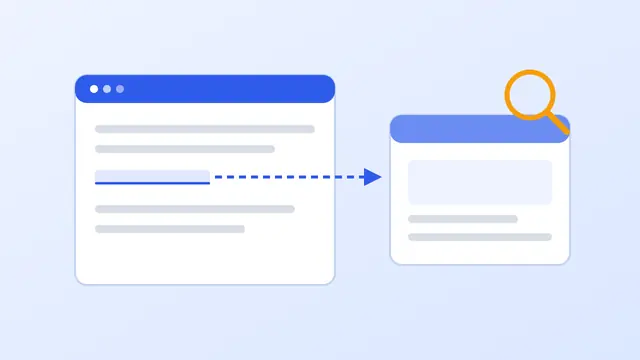
Quick answer: Anchor text is the visible, clickable text of a link. Search engines read it, together with the surrounding content, to understand what the linked page is about. The best anchor text is short, descriptive and natural. It tells a reader what they will find before they click.
Key takeaways
- Anchor text is the clickable words in a link, such as “backlink checker tools”.
- It gives users and search engines context about the page being linked to.
- Descriptive anchors beat generic ones like “click here”.
- Repeating the same exact keyword over and over looks unnatural and adds risk.
- There is no official “perfect” anchor text ratio, so write for people first.
What is anchor text?
Every link on a web page has a clickable part. That clickable part is the anchor text. In HTML it is the text between the opening and closing link tags. For example, in the sentence “Read our guide to backlink checker tools“, the words “backlink checker tools” are the anchor text.
Anchor text matters for two reasons. It helps visitors decide whether to click, and it gives search engines a short description of the destination page.
How Google uses anchor text
Google’s own link guidance says links should be crawlable and that anchor text should be descriptive, specific and easy to understand. It also advises against vague text such as “click here” or “read more” (Google, link best practices). Google’s John Mueller has described those guidelines as good guidelines, not strict requirements, and noted they also help accessibility and user experience.
In short, anchor text is a helpful context signal. It is not a switch you can flip to force a page to rank.
The 6 main types of anchor text
| Type | Example | Best use |
|---|---|---|
| Exact match | backlink checker | Use sparingly. Overuse can look manipulative. |
| Partial match | best free backlink checker tools | Safe and common for in-content links. |
| Branded | Markwood | Natural for mentions of a company or site. |
| Naked URL | https://markwoodofficial.com | Common in citations and references. |
| Generic | click here, read more | Avoid for important links. It tells nobody anything. |
| Image link | A linked image, where the alt text acts as the anchor | Write clear alt text so the link is still described. |
Good and bad anchor text examples
- Weak: “To learn more, click here.”
- Better: “Learn how to get backlinks indexed faster.”
- Over-optimized: “buy cheap backlinks best backlinks service” repeated in many links.
- Natural: “this plain-English guide to backlink checkers“.
Anchor text best practices
- Describe the destination. A reader should understand where the link goes without reading the whole sentence.
- Keep it short. A few words usually work better than a full sentence.
- Vary your wording. Mix partial match, branded and natural phrases instead of repeating one exact keyword.
- Match the context. The words around the link should support the topic of the linked page.
- Do not stuff keywords. Write the way you would talk to a customer.
- Check accessibility. Screen readers often list links out of context, so each anchor should make sense alone.
Anchor text for backlinks you earn or place
When other sites link to you, you often cannot control the exact wording. That is normal, and a natural mix of branded, partial and generic anchors is what a real link profile looks like. If you place links yourself, for example through guest posts, keep them relevant and avoid forcing the same money keyword every time. See link insertion vs guest post for how placement affects the link.
To review what anchors point to your site, open the Links report in Google Search Console, or use one of the best backlink checker tools. If you see a large number of spammy anchors, read our guide on toxic backlinks and when to disavow.
Anchor text for internal links
Internal links connect pages on your own site, so you control the wording completely. Use clear, descriptive anchors that point readers to the next useful page. Google has said internal links help it discover pages and understand what they are about, so this is one of the easiest SEO wins available.
Common anchor text mistakes
- Using “click here” for every link.
- Repeating one exact-match keyword across dozens of links.
- Linking whole paragraphs, which makes the link hard to read.
- Using anchors that do not match the destination page.
- Linking a keyword to an unrelated page just to push it.
Frequently asked questions
What is anchor text in SEO?
Anchor text is the clickable words in a hyperlink. Search engines use it, along with the surrounding content, to understand the topic of the linked page.
Does anchor text affect rankings?
It gives Google useful context, but it is only one signal among many. Relevant, helpful pages and trustworthy links matter far more than any single anchor.
What is the best anchor text ratio?
There is no official ratio from Google. A natural, varied mix is safest, and trying to hit exact percentages is usually a distraction.
Is exact match anchor text bad?
Not by itself. The risk comes from using the same exact keyword again and again in a way that looks engineered.
How long should anchor text be?
Usually two to five words. It should be long enough to be clear and short enough to read naturally.
Should I use keywords in internal link anchor text?
Yes, when it is natural. Describe the page honestly instead of stuffing a keyword into every link.
How we wrote this guide
We based the advice on Google’s published link best practices and public comments from Google’s John Mueller, and we avoided made-up ratios or ranking promises. We will update this page if Google changes its guidance.
Next step
Audit the anchors on your most important pages, then read do backlinks still matter in 2026. Disclosure: Markwood sells guest post placements on All Sites.