
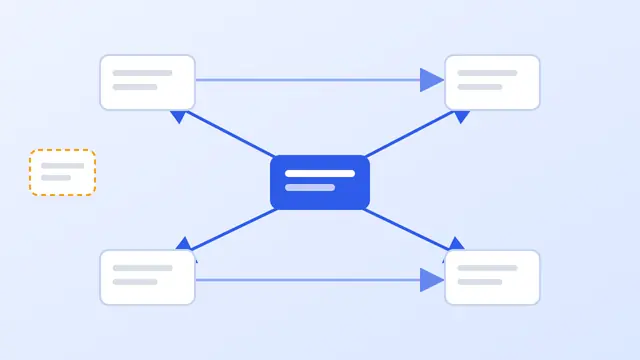
Quick answer: Internal linking means linking from one page of your website to another page on the same site. Done well, it helps Google discover and understand your pages, and it helps visitors find related content. The basics are simple: link between relevant pages, use clear anchor text, make sure no important page is left without links, and review your links regularly.
Key takeaways
- Internal links help Google find new pages and understand what they are about.
- Every important page should be reachable through normal, crawlable links.
- Descriptive anchor text works better than “click here”.
- Orphan pages (pages with no internal links) are easy to miss and easy to fix.
- You control internal links fully, so they are one of the cheapest SEO improvements.
What is internal linking?
An internal link points from one page on your domain to another page on the same domain. Menus, footers, related-post boxes and links inside your articles are all internal links. A link from another website to yours is a backlink, which is different. If you want to understand those, read what a backlink checker does.
Why internal linking matters for SEO
- Discovery: Search engines follow links to find pages. Google has said internal links help it discover pages within a site.
- Context: The anchor text and nearby words help explain what the linked page is about. See what anchor text is in SEO.
- User journey: Good links guide readers from a general guide to a deeper one, which keeps them on your site longer.
- Priority: Pages that are linked from many relevant places are easier for Google to find and tend to be seen as more important within your site.
Types of internal links
| Type | Where it appears | Main purpose |
|---|---|---|
| Navigation links | Header menu, sidebar | Help users reach main sections. |
| Contextual links | Inside article text | Point to the most relevant next page. Usually the most valuable. |
| Footer links | Bottom of every page | Reach key pages such as contact and policies. |
| Related posts | End of an article | Keep readers exploring similar topics. |
| Breadcrumbs | Top of a page | Show where a page sits in the site structure. |
How to build internal links step by step
- List your key pages. Pick the pages that matter most, such as service pages and your best guides.
- Group content by topic. Put related articles together so each one can link to the others.
- Add contextual links while you write. When a sentence mentions a topic you have already covered, link to that page.
- Use descriptive anchor text. Write a few clear words that describe the destination, for example how to check backlinks without paid tools.
- Link from old posts to new ones. Older articles often have the most existing visibility, so a link from them helps new pages get found.
- Use real links. Google says links should be proper anchor elements with an href attribute. Buttons that only run scripts may not be followed (Google, link best practices).
- Review and repeat. Check your links every few months and after publishing a batch of new content.
How many internal links should a page have?
There is no official number. Add as many as are genuinely useful to the reader. A long guide can reasonably have several, while a short page may only need two or three. If a link does not help the reader, leave it out.
How to find and fix orphan pages
An orphan page has no internal links pointing to it, so visitors and crawlers may never find it. To check:
- Export a list of your published URLs from your CMS or sitemap.
- Crawl your site with a tool such as Screaming Frog, which has a free version for smaller sites.
- Compare the two lists. Any URL in your sitemap that the crawl never reached is probably an orphan.
- Add at least one relevant contextual link to each orphan page from a related article.
You can also open the Links report in Google Search Console and other free SEO checkers to see which pages have few internal links.
Internal linking mistakes to avoid
- Using “click here” or “read more” as the anchor.
- Linking the same keyword to many different pages, which confuses the topic.
- Stuffing a page with so many links that none stand out.
- Leaving broken internal links after deleting or moving pages.
- Hiding important links in menus that do not use normal HTML links.
- Forcing links to irrelevant pages just to pass authority.
Internal links and backlinks work together
When another site links to one of your pages, internal links can help spread that value to related pages on your site. That is why a strong site structure makes every new backlink more useful. If you are building links, start with free methods to get high-quality backlinks, then point your internal links toward the pages you want to rank.
Frequently asked questions
What is internal linking in SEO?
It is the practice of linking from one page on your site to another page on the same site, so users and search engines can find and understand your content.
Do internal links help rankings?
They help Google discover pages and understand context, which supports rankings. They are one signal among many and will not rescue weak content.
How many internal links per page is best?
There is no fixed number. Add links that are useful to the reader and relevant to the topic.
Should internal links open in a new tab?
Usually not. Keeping readers in the same tab is the common default for internal links.
Are internal links dofollow?
Yes by default. Normal internal links have no nofollow attribute, so there is rarely a reason to add one.
What is an orphan page?
A page that no other page on the site links to. It is hard for both visitors and crawlers to find.
How often should I audit internal links?
A review every few months, plus a check after major content changes, is enough for most sites.
How we wrote this guide
We built it on Google’s published guidance on crawlable links and anchor text, plus public comments from Google’s John Mueller, and we avoided fixed link counts or ranking guarantees. We will update this page if Google’s advice changes.
Next step
Pick your five most important pages and add two relevant contextual links to each from older articles. Then read SEO tips for 2026 for the wider checklist. Disclosure: Markwood sells guest post placements on All Sites.