
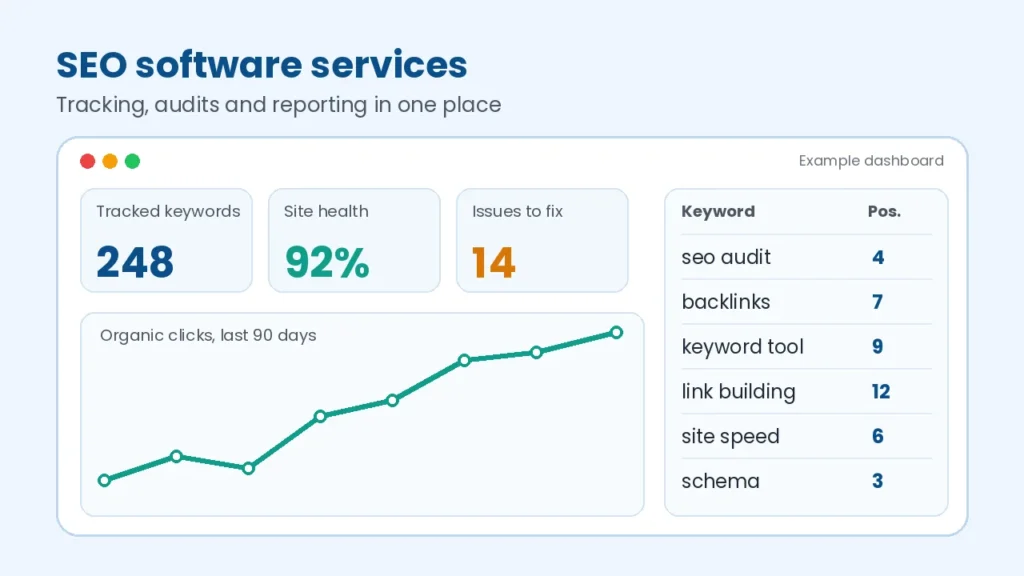
SEO software services are the tools, and sometimes the people behind them, that help a business track rankings, find technical problems, research keywords, monitor backlinks and report results. You either run the software yourself, or you pay a team to run it and act on what it finds. In 2026 the useful question is not which brand has the longest feature list. It is which mix of software and service fixes the specific bottleneck holding your site back.
Quick answer: SEO software services come in three models: self-serve software you operate, software plus a managed service where a specialist runs the tools for you, and white-label platforms that agencies resell. Pick self-serve if you have the time and skills in-house, pick managed if you need execution, and in every case make sure you own your accounts and your data.
Key takeaways
- Software finds problems. It does not fix them. Someone still has to change the site, write the content and earn the links.
- Start free: Google Search Console and Google Analytics already answer most beginner questions.
- Judge any provider on the outcomes you can verify (indexed pages, qualified leads, revenue), not on the number of reports delivered.
- No tool can measure E-E-A-T directly. It can only show you whether the signals that support it are present.
What are SEO software services?
The phrase covers two related things, and providers often blur them on purpose.
- SEO software is a product with a login: a crawler, a rank tracker, a keyword database, a backlink index or a reporting dashboard.
- SEO services are people doing work for you: audits, content, link building, technical fixes and monthly reporting.
“SEO software services” is where the two meet. A provider may sell you a platform, run that platform on your behalf, or give you a branded dashboard while a team works behind it. Knowing which of these you are buying prevents the most common disappointment: paying for a powerful tool and discovering that nobody on your team has time to use it.
The seven core features of SEO software
Almost every platform is a different bundle of the same seven building blocks. Use this table to see which ones you actually need before you compare prices.
| Feature | What it does | Problem it solves | Free starting point |
|---|---|---|---|
| Site crawler / technical audit | Crawls your pages like a search engine and flags errors | Broken links, redirect chains, missing titles, blocked pages | Google Search Console, limited free crawler tiers |
| Rank tracking | Records your positions for chosen keywords over time | You cannot tell if changes are working | Search Console performance report |
| Keyword research | Estimates demand, difficulty and related questions | Writing about topics nobody searches for | Google autocomplete, People Also Ask, Search Console queries |
| Backlink analysis | Shows who links to you and to competitors | Authority gaps and risky links | Search Console links report |
| Content optimisation | Compares your page with top results for a topic | Thin or off-topic pages | Manual review of the top 5 results |
| Reporting dashboards | Combines data into one view for stakeholders | Manual spreadsheets every month | Looker Studio |
| AI search visibility tracking | Checks whether your brand is mentioned or cited in AI answers | No visibility into generative search | Manual prompts on a fixed list of questions |
If you want named examples of each category, our guide to the top 5 SEO tools in 2026 and the free SEO checker roundup cover what each popular tool is best at. Tools are named in those guides as examples, not as paid endorsements.
Three SEO software service models compared
1. Self-serve software
You pay a subscription, log in and do the work yourself. This is the cheapest model per month and the most expensive in hours. It suits in-house marketers, freelancers and small teams that already understand SEO and need better data.
2. Software plus managed service
A specialist uses the tools on your behalf, sends prioritised recommendations and often implements them. This suits businesses that know SEO matters but have nobody to own it. The risk is dependence: if the provider owns the accounts, the content and the reports, leaving them can mean starting again.
3. White-label platforms
Agencies and consultants resell a platform under their own brand. As a buyer, you will rarely choose this model directly, but you should know it exists, because some “agency tools” are simply rebranded third-party software.
| Model | Best for | You handle | Main risk |
|---|---|---|---|
| Self-serve | Teams with SEO skills | Everything | Tool overload, no time to act |
| Software + managed | Businesses without SEO staff | Approvals and feedback | Lock-in, vague reporting |
| White-label | Agencies and consultants | Client delivery | Paying twice for the same data |
How to choose SEO software services: a step-by-step process
Step 1: Name the problem in one sentence
“We need more traffic” is too vague to buy against. Try “Our product pages are not indexed”, “We rank on page two for our main service” or “We do not know which pages bring leads”. The sentence tells you which feature matters: a crawler, a rank tracker or conversion reporting.
Step 2: Exhaust the free tools first
Connect Google Search Console and Google Analytics before paying for anything. Our guide on how to find backlinks in Google Search Console shows how much data you already have. If a free tool answers your question, a paid one is optional.
Step 3: Decide who will act on the data
Write down a name and the hours per week that person can spend. If the answer is “nobody”, you are shopping for a managed service, not software.
Step 4: Shortlist two or three providers and run a trial
Use a free trial or a paid audit on a small section of your site. Give every provider the same task, such as “find the five issues most likely to be hurting our main category page”, and compare answers.
Step 5: Check data ownership and exit terms
Ask three questions in writing. Will my Search Console, Analytics and ad accounts stay in my name? Can I export all reports and raw data? What is the notice period? A provider who hesitates on any of these is telling you something.
Step 6: Agree on outcome metrics before you sign
Pick two or three measures you can verify yourself: indexed pages, organic clicks from Search Console, leads or sales from organic traffic. Reports full of “keywords tracked” and “audit score” are activity, not results.
Six common problems with SEO software, and how to fix them
Problem 1: The audit shows hundreds of errors and you do not know where to start
Fix: Sort by impact, not by count. First deal with anything that stops pages being crawled or indexed: pages blocked in robots.txt, accidental noindex tags, server errors and broken canonical tags. Then fix issues that affect templates, because one change to a template can clear hundreds of flagged URLs. Leave minor warnings such as slightly long titles until last.
Problem 2: The tool says you rank #3 but customers see something different
Fix: Rankings vary by location, device and personalisation. Set the tracker to your real target location and device, and treat Google Search Console’s average position as the reference point. Look at trends over weeks, not single-day numbers.
Problem 3: You pay for features nobody opens
Fix: Run a 30-day feature audit. List every feature you are paying for, mark the ones used at least twice, and downgrade the plan to match. Many teams discover they need a crawler and a rank tracker and nothing else.
Problem 4: Two tools give different backlink or traffic numbers
Fix: Each platform builds its own crawl index, so absolute numbers never match. Choose one tool as your benchmark, compare like with like over time, and verify the links that matter manually. Our explanation of backlink checker tools shows why differences are normal.
Problem 5: The monthly report is full of vanity metrics
Fix: Replace the template with three sections: what changed on the site, what happened to organic clicks and conversions, and what happens next month. Ask the provider to explain each chart in one sentence. If they cannot, remove the chart.
Problem 6: You cannot leave without losing your data
Fix: Export now. Download keyword lists, audit histories and report archives monthly, and make sure you are an owner or admin on Search Console, Analytics and any tag manager. Prevention is much easier than recovery.
How SEO software supports E-E-A-T, AEO and GEO
Search in 2026 is not only ten blue links. Google’s AI features, chat assistants and answer engines now summarise and cite web content, which has produced two newer disciplines. Answer Engine Optimisation (AEO) is about structuring pages so they give clear, direct answers. Generative Engine Optimisation (GEO) is about being understood, trusted and cited by AI-generated answers. Google’s own documentation on AI features and your website states that the same foundational SEO practices apply, so there is no secret markup to buy.
Here is what software can honestly do for each:
- E-E-A-T (Experience, Expertise, Authoritativeness, Trustworthiness) is a framework from Google’s quality guidelines, not a score. Software can confirm that author pages, bylines, contact details and references exist. It cannot prove you are an expert. That has to be earned and shown.
- AEO: keyword tools can list the questions people ask, and Search Console shows which question-style queries already bring impressions. Use them to write short, direct answers near the top of the page.
- GEO: newer tools track whether your brand appears in AI answers. Treat the data as directional, because AI answers vary between runs, and combine it with manual checks on a fixed list of prompts.
For a deeper look at how generative search is changing the field, read what is now replacing SEO and can ChatGPT do SEO.
Red flags when buying SEO software services
- Guaranteed rankings or “page one in 30 days”. No one controls Google’s results, and Google itself warns about this claim.
- No access to your own accounts. You should always be the owner.
- Secret methods. A good provider can explain what they will change and why.
- Bundled link packages with no detail. Cheap, unexplained links can create the exact problems you hire SEO to avoid. If links are part of the plan, read our guide on how to buy guest posts first.
- Long lock-in contracts before any trial period.
A simple 30-day evaluation plan
- Days 1 to 3: connect Search Console and Analytics, record baseline clicks, impressions and conversions.
- Days 4 to 10: run the first crawl, list the top ten issues by impact and assign an owner to each.
- Days 11 to 20: fix the top issues and track the keywords tied to the pages you changed.
- Days 21 to 30: compare against the baseline. Decide whether the tool or service earned its fee based on changes you can verify, not on the dashboard’s own score.
Frequently asked questions about SEO software services
What do SEO software services include?
Most include a site crawler, rank tracking, keyword research, backlink analysis and reporting. Managed versions add a specialist who interprets the data and carries out fixes, content and outreach.
Is SEO software worth it for a small business?
Often a free setup is enough at first: Search Console, Analytics and a free crawler. Paid software becomes worthwhile once you have a person with time to act on the data, or enough pages that manual checking is impractical.
How much do SEO software services cost?
Prices vary widely by brand, plan and number of sites, and they change often, so check each vendor’s current pricing page. Self-serve platforms are usually billed monthly or annually per plan. Managed services are usually priced by scope or retainer. Always ask for a written scope and what happens if you cancel.
Can SEO software guarantee rankings?
No. Software measures and diagnoses. Rankings depend on your content, your site’s quality and your competitors. Treat any guarantee as a warning sign.
Do I need different tools for AI search visibility?
Not necessarily. Strong content, clear structure, trustworthy authorship and good links help in both traditional and AI search. Dedicated AI visibility trackers are optional and best used to monitor trends.
What is the difference between SEO software and an SEO agency?
Software is a tool you operate. An agency is a team that does the work, usually using several tools. Many providers combine both, which is why the term “SEO software services” exists.
Conclusion: match the service to the bottleneck
The best SEO software services are the ones whose output you will actually act on. Start with the free tools, name the one problem you most need to solve, test two or three providers on the same task, and insist on owning your data. If link building is your bottleneck rather than tooling, see how Markwood works for how guest post placements are ordered and verified.