
The Search Console AI performance report is Google’s dedicated view of how often your pages appear inside its generative AI features, such as AI Overviews and AI Mode. Google announced the new Search Generative AI performance reports on 3 June 2026. Before that, AI traffic was folded into the normal Performance numbers, so you could not tell it apart. This guide explains what the report shows, how to read it in four steps, and what it still cannot tell you.
Quick answer: Open Search Console, find the generative AI performance report, and review your AI impressions by page, country, device and date. Compare your top pages with their normal search results, refresh pages that appear often but earn few clicks, and track the trend monthly. The data is impressions-focused, so pair it with your own prompt tests and analytics.
Key takeaways
- Google introduced the report on 3 June 2026 and said it covers AI Overviews and AI Mode.
- Industry coverage reports breakdowns by page, country, device and date.
- Click-level AI Mode data is still blended into standard web reporting, and one check in August 2026 found the data missing from the API and BigQuery export.
What is the Search Console AI performance report?
It is a set of reports in Google Search Console that isolates impressions from generative AI features on Google Search. According to Search Engine Journal’s coverage, the reports give dedicated views of impressions inside AI Overviews and AI Mode. CMSWire adds that site owners can also see AI-powered Discover, with metrics on pages, countries, devices and dates.
Why it matters: until now, Google counted AI Mode and AI Overview traffic inside the overall Web totals. That made it hard to know whether a traffic change came from normal rankings or from AI features.
How to read the AI performance report in 4 steps
Step 1: Open the report in Search Console
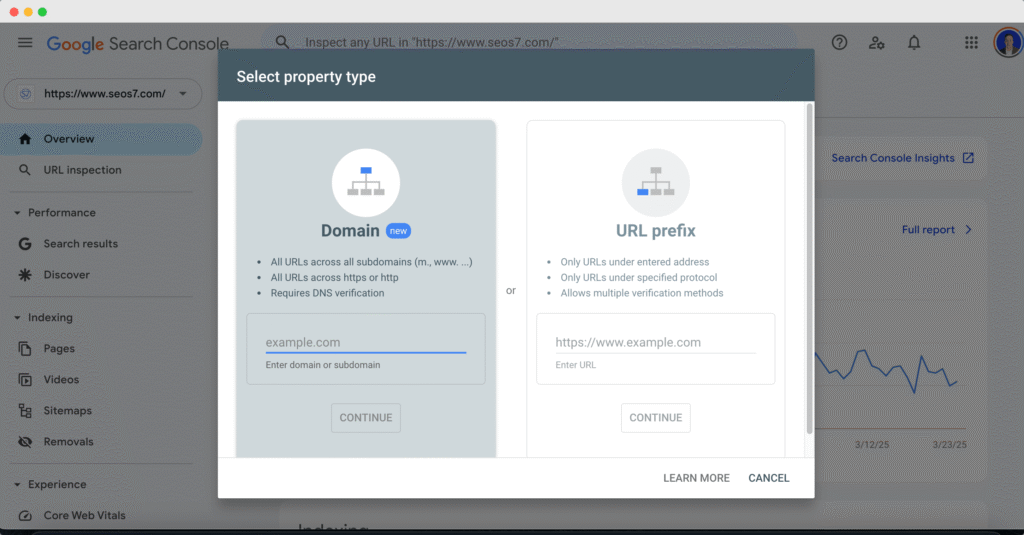
Sign in to Search Console and select your property. Look for the generative AI report in the Performance area. Rollouts can be gradual, so if you do not see it yet, it may not have reached your property. Check again in a few days, and read Google’s announcement of the reports for the latest details.
Step 2: Set a date range and compare it
Pick the last 3 months and compare it with the previous period. One week of data is too noisy. Note whether AI impressions are rising, flat or falling.
Step 3: Sort by page
Find the pages with the most AI impressions. These are the pages Google already treats as useful for generated answers. Write down the top 10 in a sheet.
Step 4: Split by country and device
Check whether AI visibility is strong in the countries you serve, and whether mobile or desktop dominates. This can show where your content fits and where it does not.
What to do with the data
- Refresh your top AI pages. Update facts, add dates and tighten the opening answer. See our steps to get cited in AI Overviews.
- Look for the gap between impressions and clicks. If a page is often shown but rarely clicked, add something a summary cannot replace, such as a template, table or worked example.
- Copy what works. Study the structure of pages with strong AI impressions and apply it to weaker pages on the same topic.
- Track the trend monthly. Add AI impressions to your regular reporting. Our guide to automated SEO reports shows how to set that up.
What the report still cannot show
| Question | Can this report answer it? |
|---|---|
| How often do my pages appear in Google’s AI features? | Yes, through impressions |
| Which exact AI Mode queries sent clicks? | No, AI Mode clicks are blended into standard reporting |
| Am I cited in ChatGPT or Perplexity? | No, it covers Google only |
| Can I pull the data through the API or BigQuery? | An August 2026 check found it was not exposed there |
To cover the other AI tools, test a fixed list of questions yourself and watch AI referrals in analytics. We explain that in our guide to tracking AI traffic in GA4.
Common mistakes when reading AI impressions
- Treating impressions as visits. Impressions mean your page appeared, not that someone clicked.
- Judging a page after one week of data.
- Ignoring normal rankings. AI features draw on the same indexed pages, so basic SEO still comes first.
- Making big changes to a page that is already working.
Frequently asked questions about the Search Console AI performance report
When did Google launch the AI performance report?
Google introduced the Search Generative AI performance reports on 3 June 2026.
What does the report cover?
It covers impressions in generative AI features such as AI Overviews and AI Mode, with views by page, country, device and date.
Can I see AI Mode clicks separately?
Not cleanly. Reporting says AI Mode traffic still blends into standard web search data.
Is the data available in the Search Console API?
An August 2026 check by an SEO publisher found that neither the Search Analytics API nor the BigQuery bulk export exposed it. Check Google’s documentation for updates.
Does the report cover ChatGPT or Perplexity?
No. It only reports on Google’s AI features.
Conclusion
The Search Console AI performance report finally gives you a Google-side baseline for AI visibility. Open it, note your top 10 pages by AI impressions, refresh them, and review the trend each month. Then add your own prompt tests for the AI tools Google does not cover.