
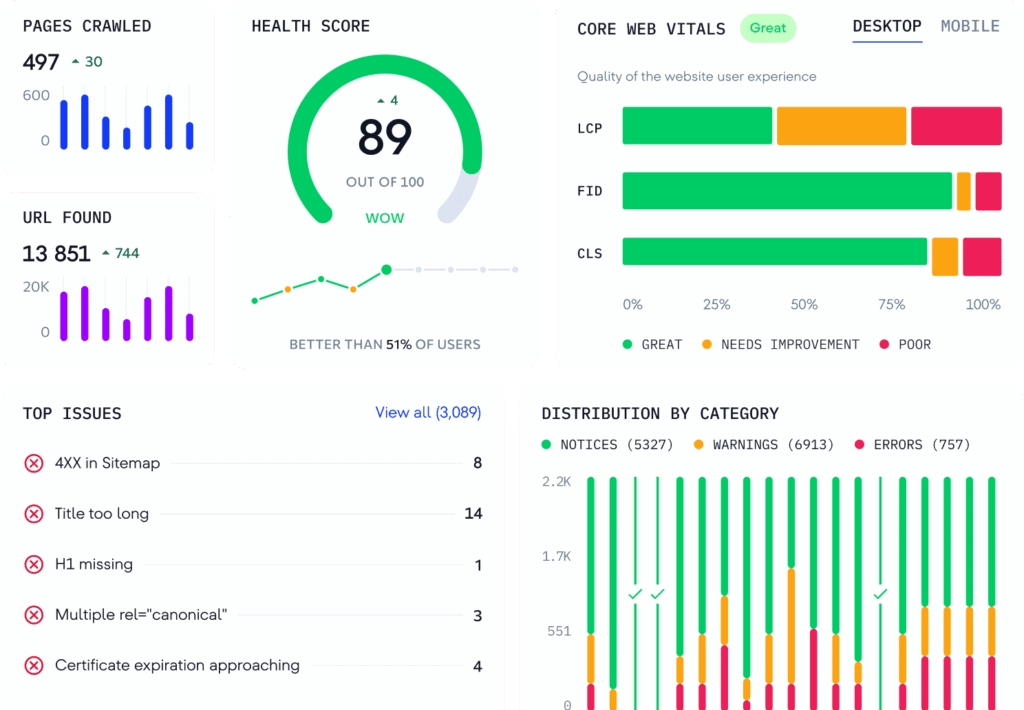
An on page SEO check online scans a single page and flags problems with its title, headings, content, links, images and speed. You can run one for free in under five minutes, but the report only helps if you know which warnings matter and which are noise.
This guide gives you a seven-step workflow you can repeat on any URL, plus a table showing which free tool to use for each check.
What an Online On-Page SEO Check Actually Tests
On-page SEO covers everything you control on the page itself. A good check looks at both the code and the content, because Google rewards pages that are technically clean and genuinely useful.
- Search snippet elements: title tag and meta description.
- Content structure: one H1, logical H2/H3 headings, readable paragraphs.
- Relevance: whether the page answers the search intent behind your keyword.
- Technical signals: indexability, canonical tag, mobile layout and page speed.
- Links and media: internal links, outbound links, image alt text and file size.
Google says its systems prioritize helpful, reliable, people-first content, so treat any automated score as a guide, not a verdict.
The 7-Step On-Page SEO Check (Free)
1. Confirm the page can be indexed
Open Google Search Console, paste the URL into the inspection bar and check that it says the page is indexed. If it is not, nothing else matters yet. Our guide to crawled but currently not indexed pages in WordPress explains the usual causes.
2. Check the title tag
Put the main keyword near the front and keep the title short enough to avoid truncation, usually around 50 to 60 characters. Make it specific. A reader should know exactly what they get before clicking.
3. Check the meta description
The meta description does not directly lift rankings, but it influences clicks. Write one clear sentence that matches search intent and ends with a reason to click. Google may rewrite it, so make the first lines of the page strong too.
4. Check headings and content depth
Use one H1 and break the page into H2 and H3 sections that mirror real questions. Compare your page with the top results and add what they miss: examples, steps, data or a comparison table. Our post on keywords vs topics in SEO shows how to cover a topic fully without stuffing keywords.
5. Check internal and external links
Link to related pages with descriptive anchor text, and link out to trusted sources where it helps the reader. Read internal linking for SEO and what anchor text is to avoid vague anchors such as “click here”.
6. Check images
Every meaningful image needs a short, descriptive alt text and a compressed file. Large uncompressed images are a common reason pages feel slow.
7. Check speed and mobile experience
Run the URL through Google PageSpeed Insights and fix the biggest items first, usually image size, render-blocking scripts and layout shifts.
Free Tools for Each Check
| Check | Free tool | What to look for |
|---|---|---|
| Indexing | Google Search Console | Page is indexed, canonical is correct |
| Title and meta | Yoast or a free SEO checker | Keyword placement, length, clear promise |
| Headings and content | Your browser and top-ranking pages | One H1, logical H2/H3, gaps versus competitors |
| Links | Free SEO checker or crawler | Broken links, orphan pages, weak anchors |
| Speed and mobile | PageSpeed Insights | Core Web Vitals, image and script issues |
Not sure which scanner to pick? See our roundup of the best free SEO checker tools in 2026 or try a free SEO checker.
How to Read the Results Without Panicking
- Fix first: noindex tags, blocked pages, missing titles, broken links and very slow pages.
- Fix next: weak headings, thin sections, missing alt text and poor internal links.
- Ignore or review: generic scores, keyword-density warnings and “too many words” alerts.
Re-check the page after your changes, then watch clicks and impressions in Search Console for a few weeks before judging the result.
Frequently Asked Questions (FAQ)
What is an on page SEO check online?
It is a free scan of one web page that reviews its title, meta description, headings, content, links, images and speed. The report shows what to fix so search engines can understand and rank the page.
How often should I run an on-page SEO check?
Run one before you publish, then again after major edits or when a page loses traffic. For important pages, a quick check every few months is enough.
Are free on-page SEO checkers accurate?
They are accurate for technical facts such as missing tags or broken links. Their scores are rough, so verify important findings in Google Search Console and PageSpeed Insights.
What is the most important on-page SEO factor?
Matching search intent with helpful content comes first. Titles, headings and speed then help Google and readers understand and use that content.